

问题起因
自从25年7月把主力系统换成Arch Linux已经过了有一段时间了,期间一直还比较稳定,正当我要说出那句“Arch Linux 轻而易举啊!”的时候,系统不出意外地滚炸了。
起因是我在周六晚上正常运行sudo pacman -Syu 更新的时候安装了一个内核更新,随后mkinitcpio出现了一个报错:
==> Building image from preset: /etc/mkinitcpio.d/linux-zen.preset: 'default'
==> Using default configuration file: '/etc/mkinitcpio.conf'
  -> -k /boot/vmlinuz-linux-zen -g /boot/initramfs-linux-zen.img
Invalid config: No hooks found.我当时并不了解这个报错意味着什么,看到更新继续正常完成之后啥也没管就sudo reboot了,然后我就进不去系统了(这还是我第一次见到Linux蓝屏):
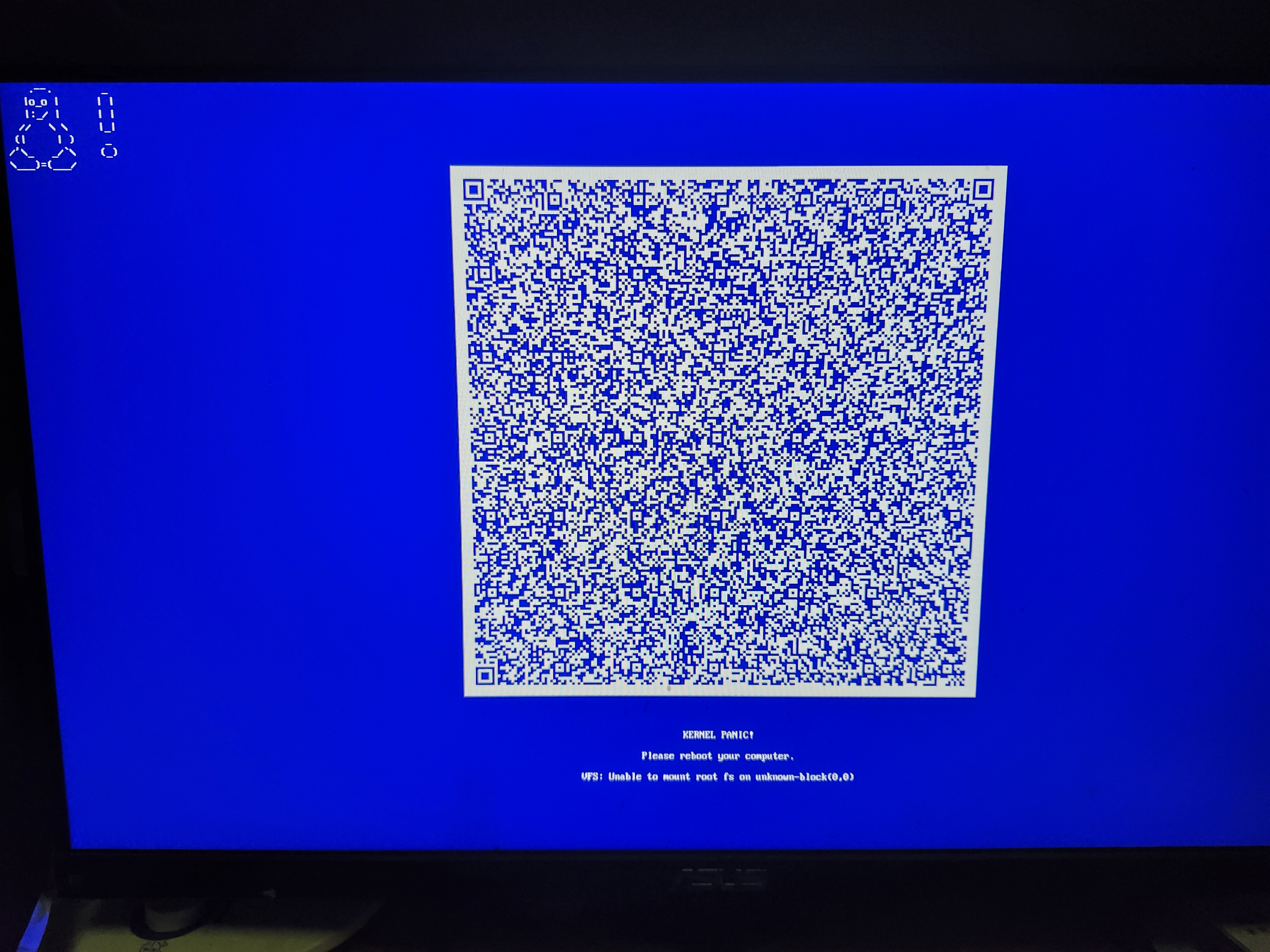
在丢出KERNEL PANIC之前引导加载程序报了未找到初始化内存盘,这时候我就知道我的initramfs已经被扬了。
解决问题
既然已经知道initramfs被扬了,那么现在的当务之急便是重建initramfs。
于是我从抽屉里掏出了我的archiso启动盘,启动到archiso,挂载好硬盘然后arch-chroot进系统。重建initramfs应该用mkinitcpio -P 命令,但是显而易见这样做会导致和上面一模一样的报错。
此前我对mkinitcpio并无任何深入到了解,但是直觉告诉我问题可能出现在配置文件mkinitcpio.conf中。于是乎:
cat /etc/mkinitcpio.conf结果它居然是个空文件!我的mkinitcpio.conf被扬了!
这下解决方案就很明确了:恢复默认的配置文件。
可问题在于,初始文件长这样:
# vim:set ft=sh
# MODULES
# The following modules are loaded before any boot hooks are
# run.  Advanced users may wish to specify all system modules
# in this array.  For instance:
#     MODULES=(piix ide_disk reiserfs)
MODULES=()

# BINARIES
# This setting includes any additional binaries a given user may
# wish into the CPIO image.  This is run last, so it may be used to
# override the actual binaries included by a given hook
# BINARIES are dependency parsed, so you may safely ignore libraries
BINARIES=()

# FILES
# This setting is similar to BINARIES above, however, files are added
# as-is and are not parsed in any way.  This is useful for config files.
FILES=()

# HOOKS
# This is the most important setting in this file.  The HOOKS control the
# modules and scripts added to the image, and what happens at boot time.
# Order is important, and it is recommended that you do not change the
# order in which HOOKS are added.  Run 'mkinitcpio -H <hook name>' for
# help on a given hook.
# 'base' is _required_ unless you know precisely what you are doing.
# 'udev' is _required_ in order to automatically load modules
# 'filesystems' is _required_ unless you specify your fs modules in MODULES
# Examples:
##   This setup specifies all modules in the MODULES setting above.
##   No raid, lvm2, or encrypted root is needed.
#    HOOKS=(base)
#
##   This setup will autodetect all modules for your system and should
##   work as a sane default
#    HOOKS=(base udev autodetect block filesystems)
#
##   This setup will generate a 'full' image which supports most systems.
##   No autodetection is done.
#    HOOKS=(base udev block filesystems)
#
##   This setup assembles a pata mdadm array with an encrypted root FS.
##   Note: See 'mkinitcpio -H mdadm' for more information on raid devices.
#    HOOKS=(base udev block mdadm encrypt filesystems)
#
##   This setup loads an lvm2 volume group on a usb device.
#    HOOKS=(base udev block lvm2 filesystems)
#
##   NOTE: If you have /usr on a separate partition, you MUST include the
#    usr, fsck and shutdown hooks.
HOOKS=(base udev autodetect modconf block filesystems keyboard fsck)

# COMPRESSION
# Use this to compress the initramfs image. By default, gzip compression
# is used. Use 'cat' to create an uncompressed image.
#COMPRESSION="gzip"
#COMPRESSION="bzip2"
#COMPRESSION="lzma"
#COMPRESSION="xz"
#COMPRESSION="lzop"
#COMPRESSION="lz4"
#COMPRESSION="zstd"

# COMPRESSION_OPTIONS
# Additional options for the compressor
#COMPRESSION_OPTIONS=()
在这样一个无法复制粘贴的环境下让我手敲还不如杀了我。万幸的是这个文件基本上全是注释,有用的就那么几行,于是乎:
cat > /etc/mkinitcpio.conf << 'EOF'
# vim:set ft=sh
MODULES=()
BINARIES=()
FILES=()
HOOKS=(base udev autodetect modconf block filesystems keyboard fsck)
EOF
这样就重建好了mkinitcpio.conf。值得注意的是,如果直接使用vim编辑可能会因为换行符的原因导致一些问题,故建议采用上述方法。紧接着重建initramfs和grub然后重启:
mkinitcpio -P
grub-mkconfig -o /boot/grub/grub.cfg
reboot
进系统了,大功告成!
写在后面
至今我还是不知道我的mkinitcpio.conf是怎么没的...